

A smart LED filament bulb combines two separate ideas. “Filament” describes the visible light-source design and decorative appearance. “Smart” describes a connected control system. A bulb can have a filament look without any wireless control, and a smart bulb can use a conventional diffused shape without visible filaments.
This distinction matters when comparing a smart filament bulb with a standard, non-connected LED. The smart product is not automatically brighter, more efficient or better looking. It adds setup, protocol, software and ecosystem questions to the basic lighting specification.
This guide explains those differences and provides a selection checklist. Specify a smart filament lamp by its exact communication module, commissioning path and supported ecosystem; specify a standard LED by its electrical and fixture requirements.
Start With Two Independent Decisions
The first decision is visual. Do you want a clear or tinted glass envelope, visible filament lines and a bulb that remains part of the fixture’s appearance? If the lamp is hidden behind an opaque diffuser, filament styling may add little value.
The second decision is functional. Do you need app control, voice integration, schedules, scenes, remote access, tunable white or another connected feature? If a wall switch provides all required control, a non-connected bulb may be simpler.
Treating these as independent decisions prevents a common mistake: buying a smart filament bulb because it looks attractive, then discovering that its protocol, app or switching behavior does not fit the household or project.
What Is a Standard LED Bulb?
In this comparison, “standard LED” means a non-connected lamp controlled through its electrical supply or a compatible external dimmer. It may be clear, frosted or filament-style. It does not require commissioning into an app or smart-home ecosystem for normal operation.
That simplicity can be valuable. Anyone can use the existing switch, replacement does not require an account, and there is no protocol or firmware lifecycle to manage. However, control options are limited to what the lamp and external controls support.
A standard lamp still requires normal checks: base, voltage, dimensions, fixture rating, output, distribution, color, dimming compatibility and operating environment.
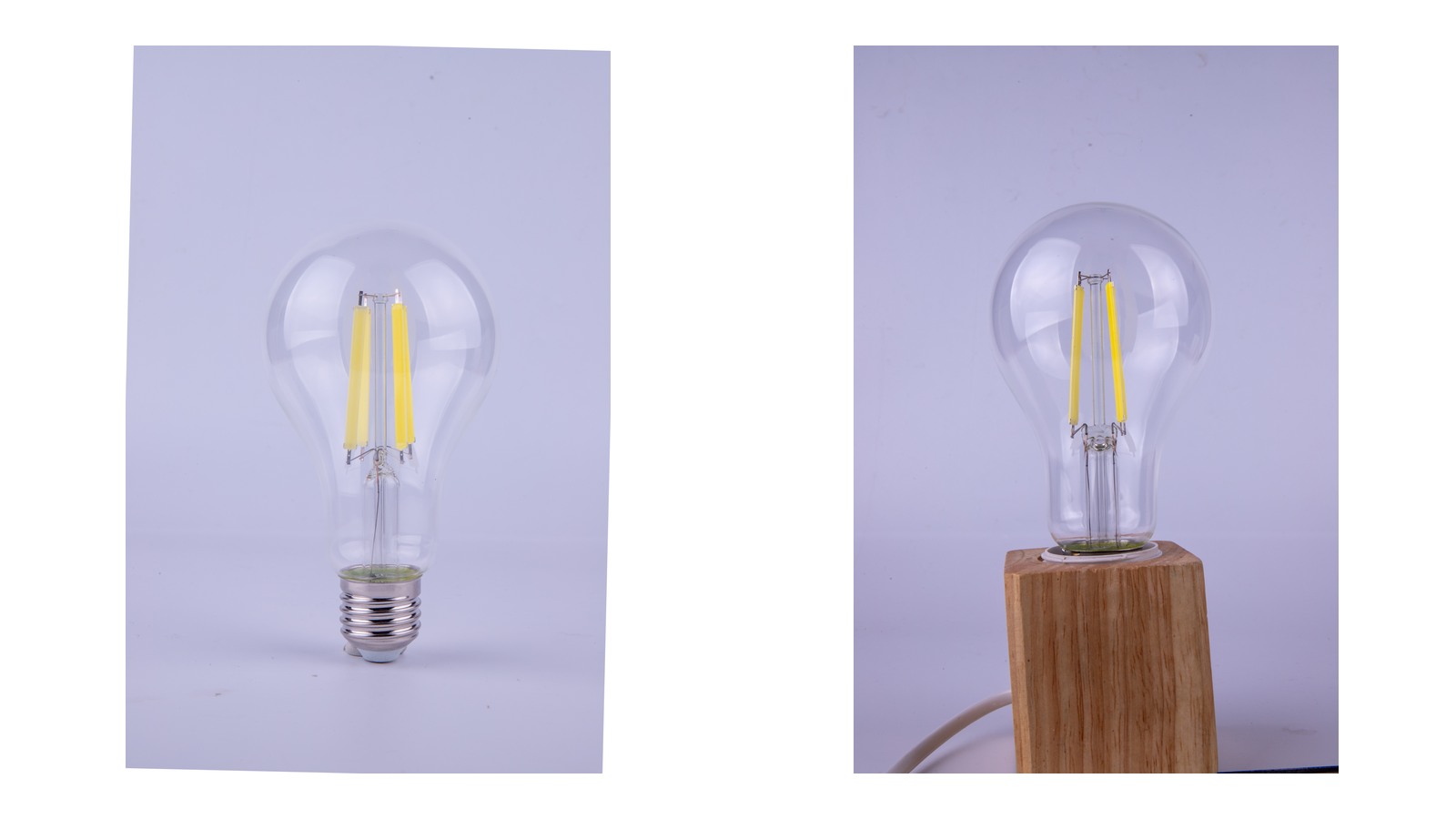
For a focused comparison of filament construction and conventional diffused LED bulbs, see filament LED versus standard LED bulbs.
What Makes a Filament Bulb “Smart”?
A smart filament bulb adds communication hardware and software. Depending on the exact product, it may use Bluetooth, Wi-Fi, Zigbee, Thread/Matter or another system. It may be controlled directly by a phone, through a hub or bridge, by a compatible voice platform or through an automation controller.
Those options are not interchangeable. A product described as Bluetooth does not automatically support Wi-Fi remote access. A Zigbee lamp may require a compatible hub. The Connectivity Standards Alliance states that Matter and Zigbee do not interoperate natively, although a compatible bridge can connect systems.
The product specification should identify:
- communication protocol and radio requirements;
- setup or commissioning method;
- supported app and operating systems;
- required hub, bridge or controller;
- supported ecosystems and voice platforms;
- local and remote control behavior;
- available lighting functions;
- firmware update process;
- account or cloud dependency;
- reset and transfer procedure.
The word “smart” leaves all of these details open until the exact model and control version are identified.

Appearance and Light Quality
Filament bulbs are often used in open pendants, chandeliers, wall lights and table lamps where the source is visible. Envelope shape, glass tint, filament pattern and off-state appearance become part of the design.
Smart electronics can occupy space near the base or inside the lamp. This may affect proportions, visible components or light distribution. Compare actual product photographs and dimensional drawings rather than assuming that every smart filament lamp looks like a traditional decorative bulb.
Also compare basic light characteristics independently of connectivity:
- luminous output;
- color temperature or tunable range;
- color rendering;
- dimming range and low-end stability;
- distribution and visible brightness;
- flicker information where relevant.
A smart bulb with many scenes can still be unsuitable if its minimum dim level, color appearance or visible electronics do not match the fixture.
Clear and frosted envelopes change both off-state appearance and the way the bright filament structure is perceived. The clear versus frosted filament bulb guide separates that optical choice from the connected-control decision.
Control and Automation
The main reason to choose a smart bulb is added control. Functions may include on/off control, dimming, schedules, scenes, grouping, occupancy-based automation, tunable white or color. Exact functions vary by model.
Define the required function before choosing the protocol. A user who only needs bedside dimming may prefer direct local control. A multi-room project may need groups, scenes and stable controller coverage. A hospitality application may prioritize simple recovery after power interruptions and controlled access over consumer-oriented novelty.
Ask whether automations run locally or depend on cloud services. Local control can remain responsive during an internet outage, but the actual behavior depends on the device, controller and ecosystem. Remote control normally needs an internet-connected controller or cloud path. Verify rather than assume.
| Required outcome | Product field to verify | System dependency | Acceptance test |
|---|---|---|---|
| App-based on/off and dimming | Supported app, operating system and control range | Phone permissions, account and local network | Commission, dim to the required low level and recover after power cycling |
| Multi-room schedules or scenes | Grouping, scene and schedule functions | Hub, bridge, controller or cloud path as specified | Run the schedule with representative devices and user roles |
| Voice control | Named voice platform and required intermediary | Compatible account, hub or bridge | Execute the required commands through the approved account structure |
| Remote access | Explicit remote-control support | Internet connection and any cloud service | Test local and remote behavior separately, including service interruption |
| Handover to another user | Reset, ownership-transfer and recommissioning procedure | App account and retained setup records | Remove, reset and add a sample lamp under the new owner |
Setup and Commissioning
A standard LED bulb is normally installed and controlled without software onboarding. A smart bulb must be added to a controller or app through a commissioning process.
That process may involve a QR code, pairing code, Bluetooth discovery, temporary Wi-Fi connection, hub or account. Matter specifications explicitly define commissioning flows; setup is part of the connected system, not an optional afterthought.
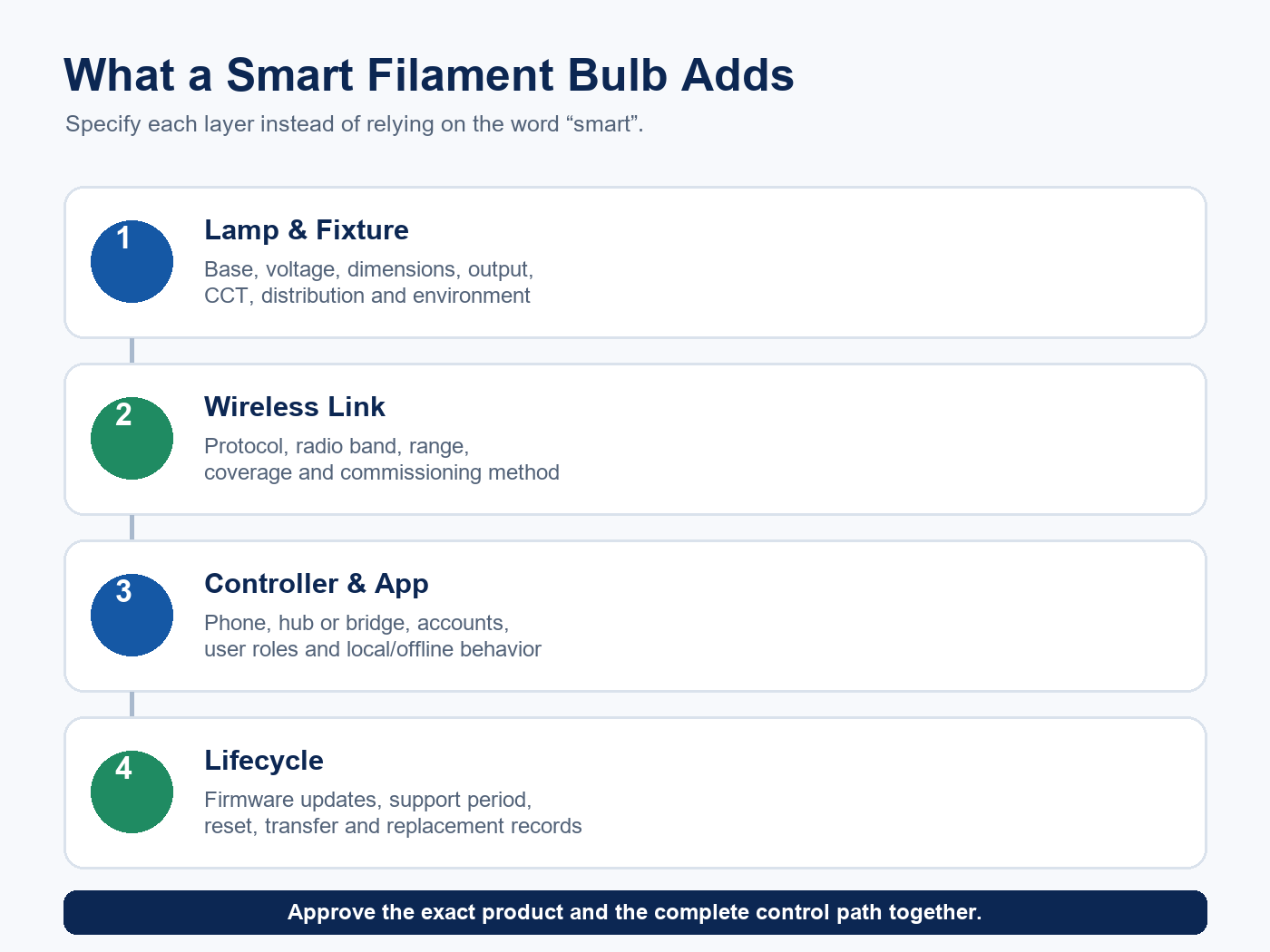
For one lamp, onboarding may be brief. For dozens or hundreds, naming, grouping, code management, network capacity, installer access and handover become project tasks. Multi-user control and ownership transfer should be planned before deployment.
Wall-Switch Behavior
Smart bulbs need power to receive commands. If a conventional wall switch disconnects power, app and automation control normally become unavailable until power is restored. Some products remember the previous state; others use a configurable power-on behavior. The exact response must be checked.
This can create confusion in shared spaces. A visitor may turn off the wall switch and make the bulb appear offline. Options include user training, a compatible smart switch or control strategy, or choosing a non-connected lamp where conventional switching is preferred.
Do not combine a smart bulb with a wall dimmer unless the manufacturer explicitly supports that arrangement. Many smart bulbs perform electronic dimming internally and expect a normal supply rather than phase-cut control.
Hub, Bridge and Network Requirements
Some smart bulbs operate directly from a phone at short range. Others use Wi-Fi or require a hub. A bridge can connect one protocol to another ecosystem, but support is model- and platform-specific.
For a project, document:
- controller and hub model;
- supported device count;
- wireless coverage and interference conditions;
- network ownership and credentials policy;
- behavior when the internet, cloud or hub is unavailable;
- commissioning and replacement responsibilities.
A claim such as “works with voice control” should name the supported platform and required intermediaries. Platform support can change, so evidence should be current at the time of specification.
Matter and Zigbee are separate protocols. The Connectivity Standards Alliance explains that Matter can bring Zigbee devices into a Matter ecosystem through a compatible bridge, while there is no native Matter-to-Zigbee interoperability. A Matter logo, Zigbee label or Bluetooth statement therefore answers only part of the system question.
Energy Use and Standby Power
Both connected and non-connected bulbs use LED technology. Compare rated input and output for the exact products instead of using smart capability as an efficacy proxy.
A connected bulb may consume a small amount of standby power to remain reachable. Scheduling and occupancy automation may reduce operating hours in some applications, but savings depend on behavior and controls. Calculate the expected operating hours and standby load for the proposed system.
Evaluate the complete system: lamp efficacy, standby power, expected operating schedule, hub power where applicable and whether automation will actually change use.
Privacy, Security and Support Lifecycle
Connected products introduce considerations that ordinary bulbs do not. Buyers should ask how accounts, permissions, device identifiers, updates and cloud services are handled. A protocol certification establishes a defined conformance scope; deployment security still depends on the complete device, software, accounts, network and operating practices.
Review:
- whether an account is required;
- what data leave the local network;
- update availability and expected support period;
- reset and decommissioning procedure;
- access for household members, guests or staff;
- response when the vendor app or cloud service changes;
- ownership transfer at property handover.
For commercial projects, involve the appropriate IT or security team before selecting a consumer smart-home product.
NIST’s IoT guidance treats software updates, manufacturer support information and end-of-support communication as purchasing and lifecycle requirements. Record the stated support period and update method alongside the lamp model rather than leaving them in an app-store listing that may change.
Reliability and Maintenance
A non-connected bulb has fewer system dependencies. Troubleshooting usually focuses on the lamp, supply, fixture and dimmer. A smart bulb adds network, controller, software and account layers.
Smart-bulb reliability depends on more layers than lamp operation alone, so maintenance requires additional records and skills. Keep the model, protocol, setup code, room assignment, firmware process and reset instructions. Plan how a failed lamp will be replaced and restored to the correct groups and scenes.
For decorative installations, consider future visual matching. A replacement may need the same envelope, tint, filament appearance and color behavior as the remaining lamps.
Rated lamp life and software support are separate timelines. Use the filament LED lifetime guide for the electrical and thermal side, then add the connected product’s documented update and support period.
Comparison Summary
| Decision factor | Standard non-connected LED | Smart LED filament bulb |
|---|---|---|
| Decorative appearance | Can be filament or conventional | Filament appearance plus connected electronics |
| Basic control | Switch or compatible external dimmer | App/controller functions vary by model |
| Setup | No software commissioning for normal use | Commissioning is required |
| Ecosystem | Not applicable | Protocol, app, hub and platform must be verified |
| Internet dependency | None for lamp operation | Varies; remote functions may depend on internet/cloud |
| Wall-switch behavior | Familiar supply control | Power removal can make smart functions unavailable |
| Maintenance | Lamp and electrical system | Adds network, firmware, account and recommissioning tasks |
| Best fit | Simple, predictable local control | Defined automation or connected-control need |
Use the table as a specification map, then populate it with exact model evidence. Smart functions and electrical specifications remain model-specific.
When a Smart Filament Bulb Makes Sense
A smart filament lamp may fit when the bulb is visible and the project has a clear connected-control goal, such as scheduled decorative lighting, adjustable white appearance, scene control or integration with an existing compatible ecosystem.
It is most convincing when the buyer has already defined the protocol, controller, setup responsibility and power behavior. The decorative appearance should also be reviewed in the real fixture, both on and off.
When a Standard LED Is the Better Choice
A non-connected LED may be preferable where conventional switching is expected, users should not need an app, network ownership is unclear, long-term platform support is a concern or the project has no meaningful automation requirement.
Standard does not mean visually plain. Non-connected filament lamps can provide the same general decorative language without the connected system. Compare exact appearance and lighting performance.
A Selection Workflow
- Define the visible design. Record bulb shape, glass finish, filament appearance and fixture dimensions.
- Define the lighting task. Set output, color, distribution and dimming needs.
- Decide whether smart control solves a real problem. Name the required functions.
- Choose the ecosystem. Identify protocol, app, hub, voice platform and local/remote behavior.
- Check installation behavior. Confirm base, supply, fixture, wall switch and dimmer compatibility.
- Review lifecycle requirements. Address firmware, accounts, privacy, reset, replacement and support.
- Test the exact model. Evaluate appearance, setup, controls and recovery under realistic conditions.
The broader LED lighting selection framework can be used to align these connected-system checks with application, photometric, electrical and maintenance requirements.
Frequently Asked Questions
Does a smart filament bulb need a hub?
It depends on the exact product and desired functions. Some support direct phone control, some use Wi-Fi, and others require or gain functions through a hub or bridge. Verify the full operating path.
Can a smart bulb work when the internet is down?
Some local controls may continue, while remote or cloud-dependent features may not. Behavior depends on the device, controller and ecosystem. Check documented offline behavior.
Is Matter the same as Zigbee?
No. CSA states that Matter and Zigbee do not interoperate natively. Compatible bridges can allow devices from another protocol to participate in a Matter ecosystem.
Can I use a smart filament bulb with a wall dimmer?
Only if the manufacturer explicitly supports that combination. Many smart bulbs perform dimming internally and should not be connected to a conventional phase-cut dimmer.
Do smart bulbs always support tunable white or color?
No. Some provide only on/off and dimming, some offer warm-to-cool white, and some add color. Review the exact model’s function list and output in each mode.
Do smart bulbs save more energy than regular LEDs?
Not automatically. Compare lamp efficacy and standby power. Automation can reduce operating hours, but savings depend on how the system is configured and used.
Choose the System, Not the Label
A smart LED filament bulb can combine vintage-style appearance with connected control, but the value comes from a specific use case and a verified ecosystem. A standard LED can be the better product when predictable local operation and simple maintenance matter more than automation.
For a project review, provide the bulb form, base, input, destination market, required protocol, app, hub or bridge, control functions and handover plan when you contact New Lights. For volume programs, the factory and manufacturing overview explains the sample-to-production workflow.
—
Editorial Sources
- Connectivity Standards Alliance, “Build With Matter”: https://csa-iot.org/all-solutions/matter/
- Connectivity Standards Alliance, “Matter FAQs”: https://csa-iot.org/all-solutions/matter/matter-faq/
- Connectivity Standards Alliance, “Zigbee FAQs”: https://csa-iot.org/all-solutions/zigbee/zigbee-faq/
- Philips Hue, “A19 E26 Filament LED Bulb – White Ambiance”: https://www.philips-hue.com/en-us/p/filamento-hue-white-ambiance-a19—foco-inteligente-e26/046677563578
- WiZ, “Filament Bulb Clear 40 W A60 E27”: https://www.wizconnected.com/en-gb/p/filament-bulb-filament-bulb-clear-40-w-a60-e27/8720169072176
- NIST, “IoT Device Cybersecurity Capabilities Catalog – Software Update”: https://pages.nist.gov/IoT-Device-Cybersecurity-Requirement-Catalogs/technical/update/